Quick answer
Put the numbers in a Google Sheet with a Phone column, open Campaigns, New campaign, paste the sheet link and press Preview leads. Write the message with a {Name} merge field, leave the pace at 30 an hour, name where the consent came from, tick the box, then create and review before sending.
- Recipients come from a Google Sheet, not an upload, so the list stays editable while the campaign runs.
- Thirty an hour is the default because it is the pace a linked device survives, not an arbitrary cap.
- Consent is a typed sentence and a tick, and it is stored with the campaign.
- Send to yourself first. A merge field that renders empty is invisible until it reaches a real phone.
About 15 minutes
Before you start
- A connected WhatsApp number on the Growth or Pro plan
- A Google Sheet of people who agreed to hear from you, shared so anyone with the link can view
- A test number you own, to send to first
A blast campaign in Replai is four screens: where the list comes from, what the message says, how fast it goes out, and who said you could send it. This walks through all four using a real campaign, and flags the two places people usually get it wrong.
Campaigns are on the Growth and Pro plans. On Starter the menu item is there but the form is locked.
Step 1: Build the list in a Google Sheet
Replai reads recipients from a Google Sheet rather than a file you upload. One
row per person, and a column whose header is Phone, WhatsApp, Mobile or
Contact. Any other columns you add become merge fields you can use in the
message.
A minimal sheet is two columns:
| Phone | Name |
|---|---|
| 447700900314 | Priya |
| 447700900471 | Marco |
| 447700900588 | Tom |
Two things to get right before you leave the sheet:
Share it so anyone with the link can view. Replai reads the sheet as an anonymous visitor. If it is private, the preview in the next step returns nothing and the reason is not obvious from the error.
Decide what happens to numbers with no country code. A sheet kept by hand usually has a mix. The form has a default country code that gets applied to anything without one, so either make the sheet consistent or set that field to match where most of your list lives.
Step 2: Pull the leads into Replai
Open Campaigns and press New campaign. The first panel takes the sheet.
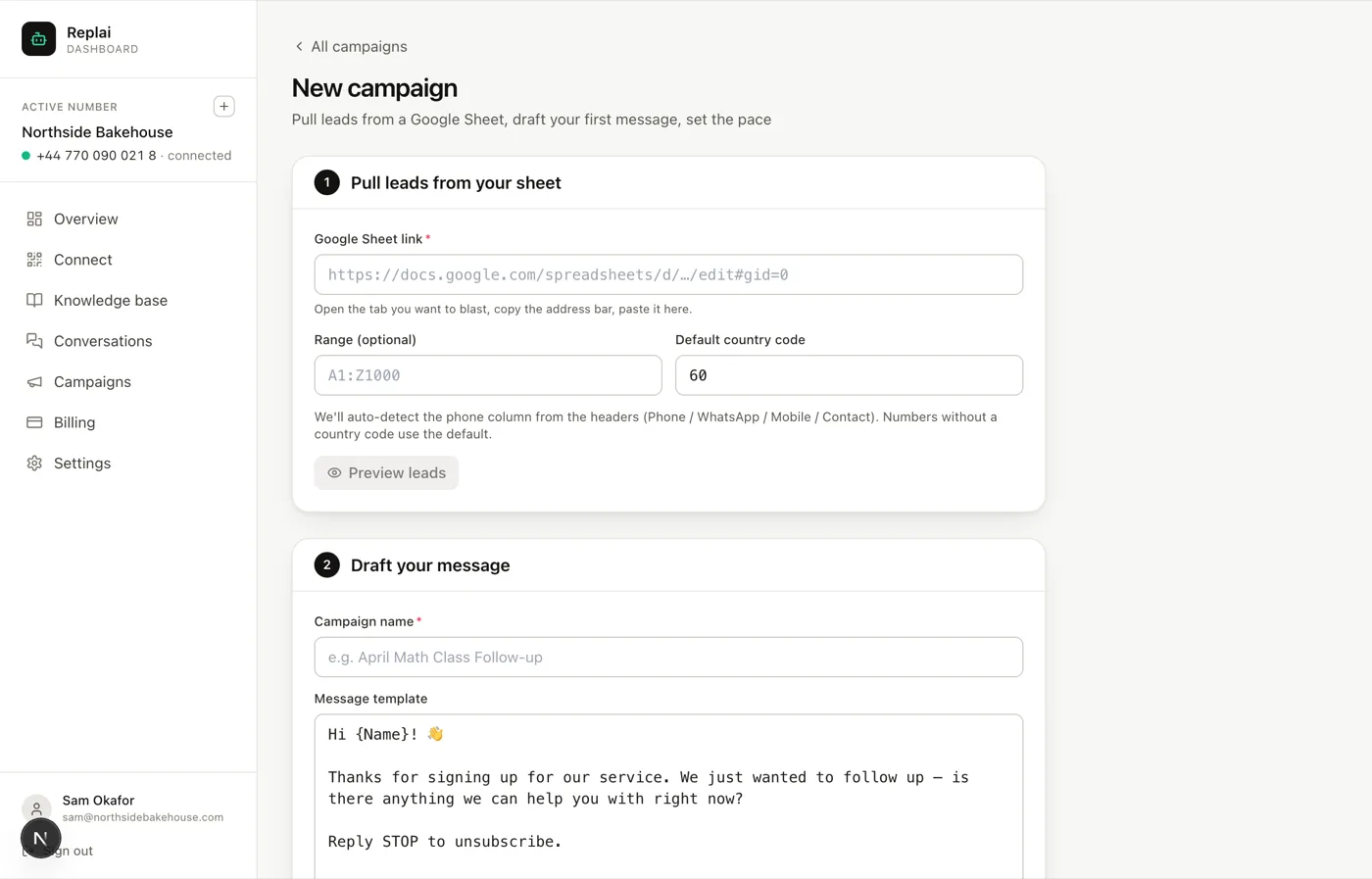
Paste the link and press Preview leads. This is the step worth not skipping: it shows you what Replai actually parsed, which is the only way to catch a phone column that was read as a number and lost its leading zero, or a range that picked up your header row as a recipient.
If the preview count is lower than the sheet, the usual causes are blank rows in the middle of the list, duplicates, and people already on the opt-out list for this number. The last one is not an error. It is the system refusing to message someone who asked you to stop.
Step 3: Draft the message
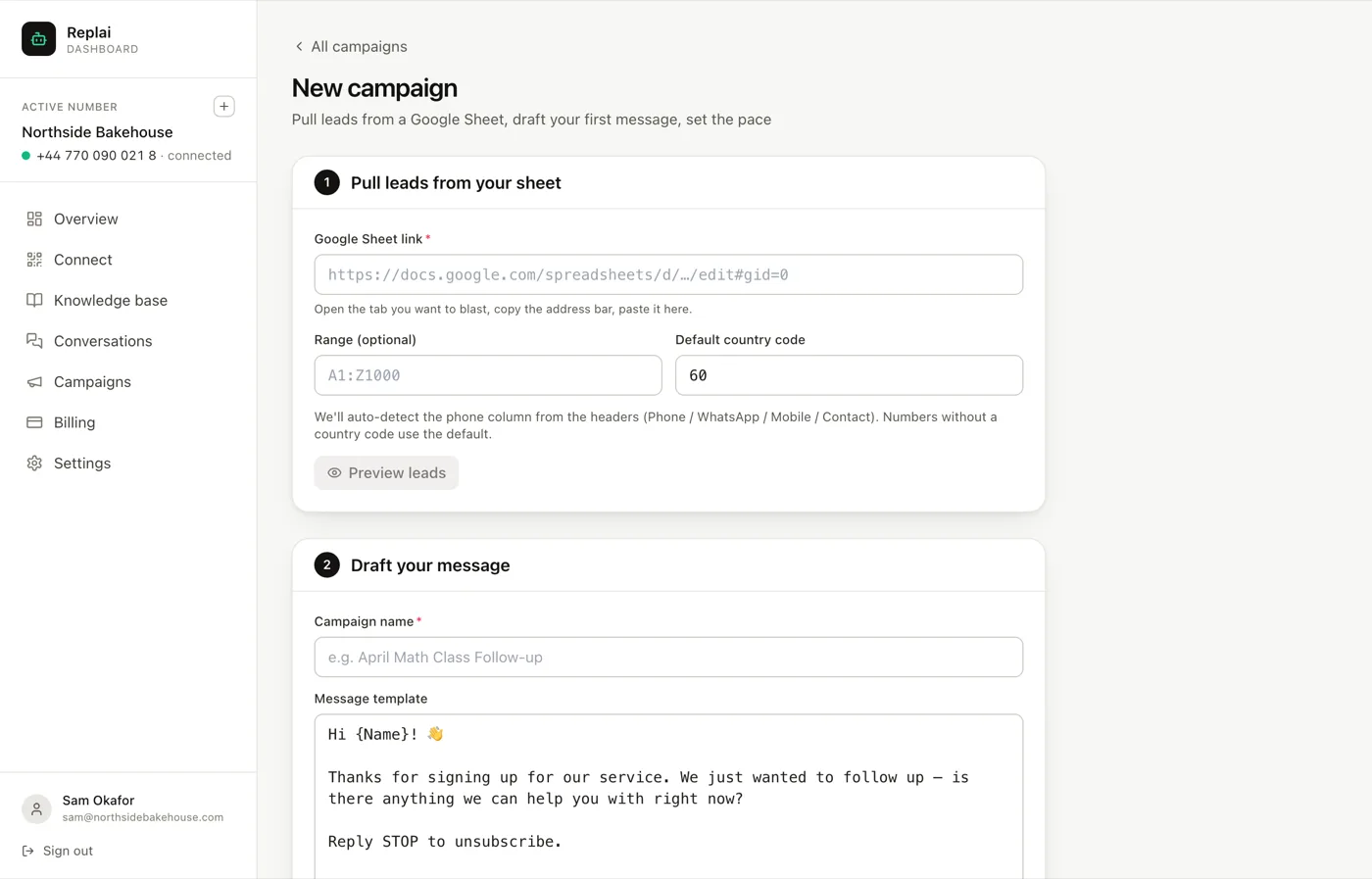
The campaign name is for you, so name it something you will recognise in three months when you are comparing reply rates.
Merge fields go in braces and match your sheet's column headers. {Name} pulls
the Name column. The thing to know about merge fields is what happens when the
cell is empty: you get the rest of the sentence with a hole in it. "Hi , the
Saturday menu is up" is a message that tells the recipient they are on a list.
Either fill every cell or write the sentence so it survives an empty one.
A structure that works, and the reason it works:
Hi {Name}, the Saturday set menu is up (photo above).

Three courses from 18.00, this Saturday only, and there are 24 covers.

Reply MENU for the full list, or BOOK and a time to hold a table.
Three lines. The first says who it is from and what this is, because the recipient may not have your number saved. The second is the offer with the detail that creates urgency, which here is the cover count rather than a countdown. The third is one action, phrased as a reply rather than a link, because a reply keeps the conversation on WhatsApp where the bot can pick it up.
If you attach a photo, the text becomes its caption and the two go out as a single message. Keep the picture under about 1 MB and crop it square or 4:5, or it arrives as a strip on a phone.
Step 4: Set the pace
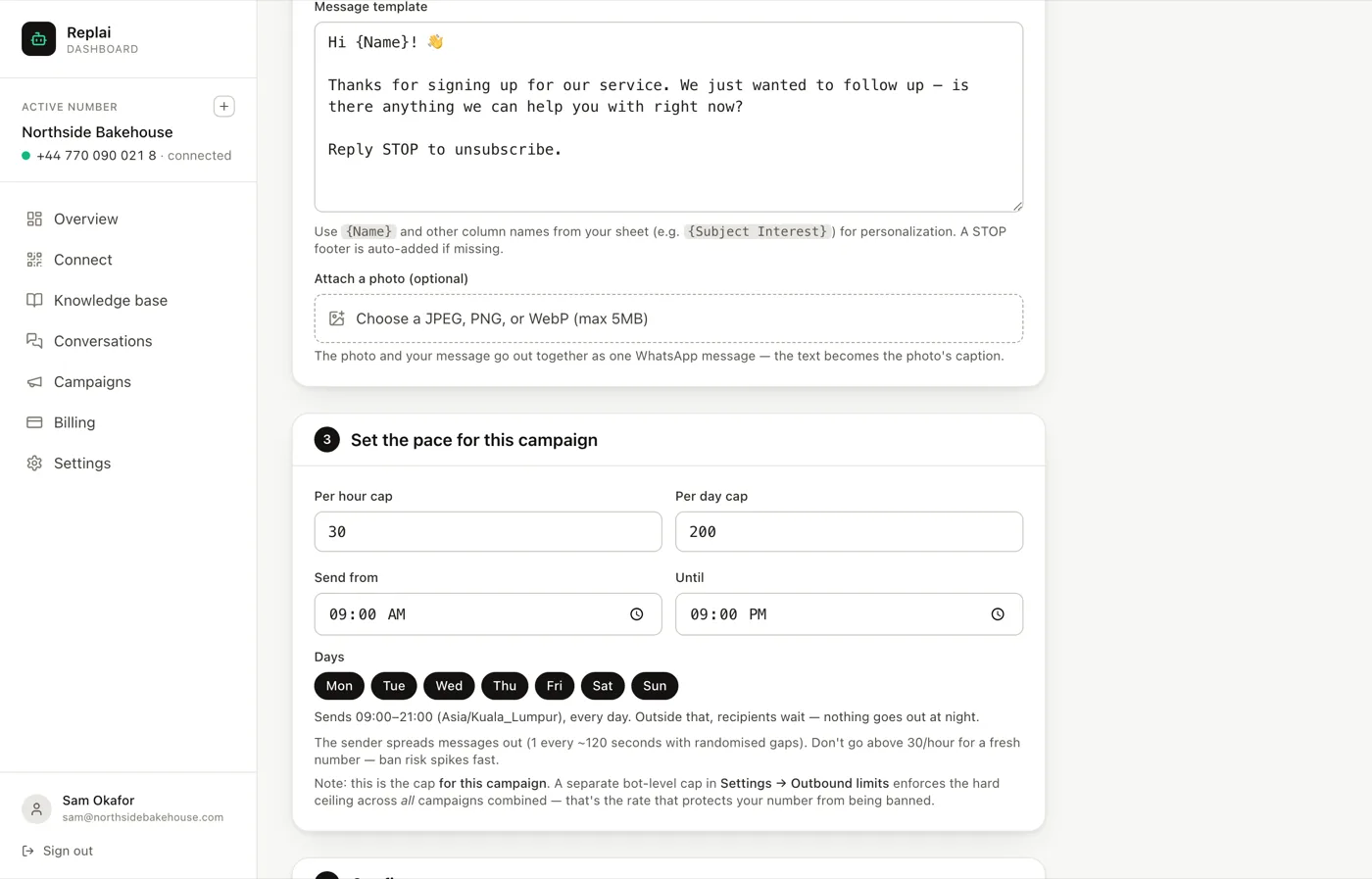
This is the panel that decides whether the number survives.
Replai spreads messages out at roughly one every two minutes with randomised gaps, rather than sending as fast as the connection allows. A burst is the clearest possible signal that a number is automated, and automation is not what gets a number banned on its own. What gets it banned is automation plus recipients who report it.
Leave the per hour cap at 30 for any number that has not run a campaign before. It is not a product limit you are meant to raise as soon as possible. It is the rate at which a new number reliably does not get flagged.
The send window matters more than it looks. The default runs 09:00 to 21:00, and the timezone is the one set on the campaign, not the one your customer is in. If your list spans countries, set the window narrow enough that the earliest timezone is not getting a marketing message at six in the morning.
There are two caps, and they are different things. The one on this screen is for this campaign. The one under Settings, Auto-reply rules is the ceiling across everything the number sends, campaigns and replies together. The second one is the one protecting you.
Step 5: Confirm consent, then send
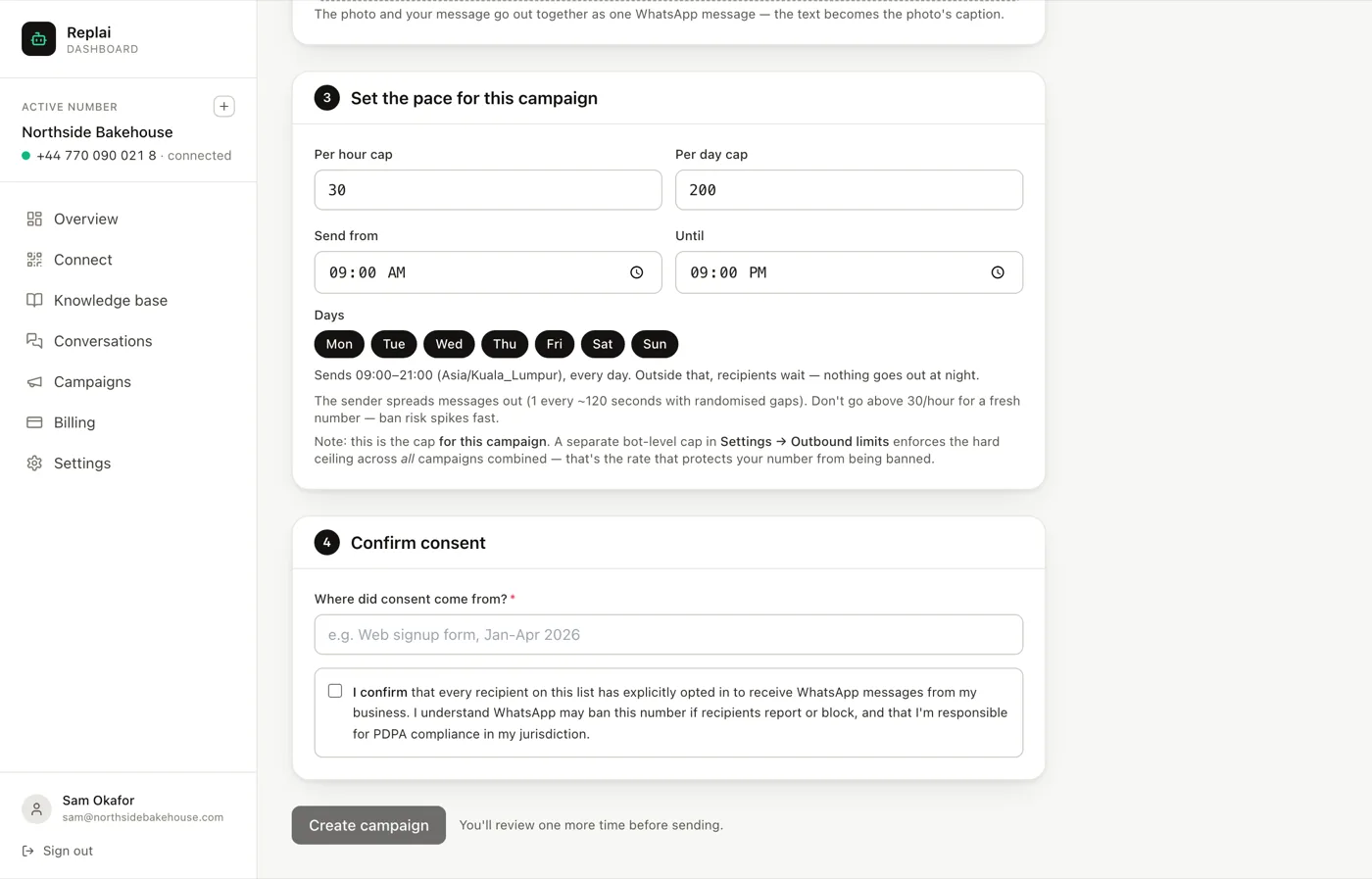
Write where the consent came from in plain words: "customers who ordered in the last six months and did not opt out", "the sign-up sheet at the counter, March to September". This is stored with the campaign. If a complaint ever arrives, the answer to "where did you get my number" is on the record instead of in somebody's memory.
Then tick the box and press Create campaign. It does not send yet. You get one more review screen, and that is where you should do the only test that matters.
Send it to yourself first. Put your own number in a one-row sheet and run the whole campaign against it. A missing merge value, a line break that collapsed, a photo that crops badly: none of these are visible in the form and all of them are obvious on a phone.
Reading the result
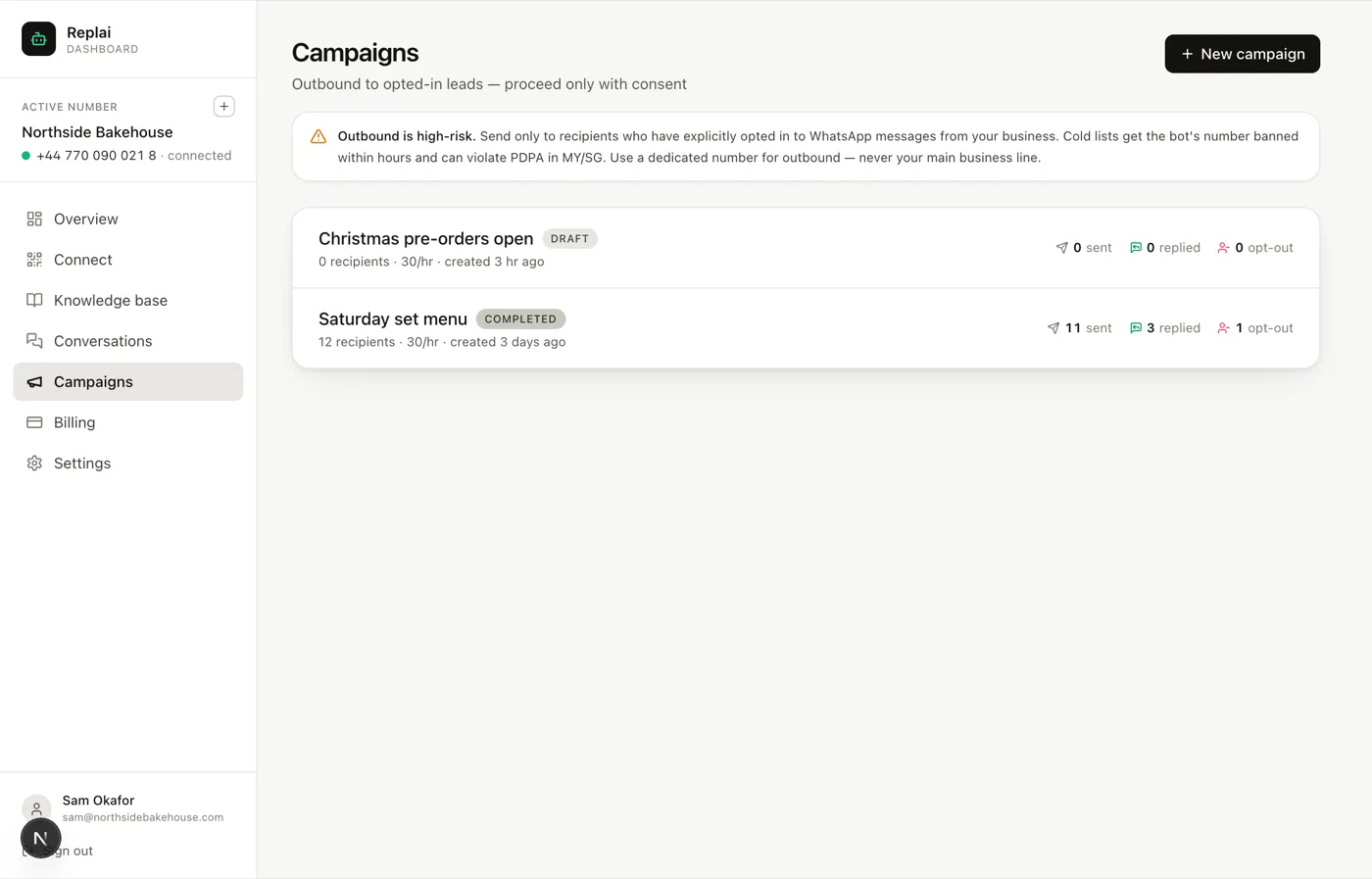
The three numbers are sent, replied and opted out, and the third is the one to watch. Replies tell you the offer worked. Opt-outs tell you whether the list was really opted in.
A rough read, from campaigns we have watched:
- Opt-outs under 1% is a healthy list.
- 2 to 3% means a chunk of the list does not remember giving you their number. Tighten the source before the next send.
- Above 5% means stop. The next campaign on that number risks the number itself, and the reports that follow opt-outs are what trigger a ban.
A failed row is different from an opt-out: it usually means the number is not on WhatsApp at all. Those are worth cleaning out of the sheet rather than retrying, because a list full of dead numbers is itself a signal.
What to do next
Once a campaign has gone out, replies land in Conversations like any other message and the bot answers them from your knowledge base. If the campaign mentions something the knowledge base does not cover, the bot will say it needs to check with the team, which is a slow way to find out you should have added the set menu before you advertised it.
Frequently asked questions
Why does the list come from a Google Sheet instead of a file upload?
- Because a list changes while you are working on it. Someone asks to be removed, a number turns out to be wrong, a name is misspelled. A sheet is still editable after you paste the link, and the people who maintain the list usually are not the people who run the campaign. An uploaded file freezes a mistake in place.
What happens if someone replies STOP?
- They are added to the opt-out list for that number and no campaign will include them again. It happens automatically, and it applies across every future campaign, not just the one they replied to. The campaign page counts opt-outs separately from replies so you can see the real reaction.
Can I send to people who have not opted in?
- You can physically do it and it is the fastest way to lose the number. Replai runs on a linked device, which means WhatsApp judges the number by how recipients react. A handful of reports from people who never asked to hear from you is enough for a ban, and no support queue will get it back.
How long does a campaign take to send?
- At the default pace, roughly one message every two minutes, so thirty an hour and no more than the daily cap. Five hundred recipients is most of two days inside a normal send window. That is deliberate: a burst of five hundred messages in ten minutes is the single clearest ban signal there is.
Does the photo count as a separate message?
- No. The photo and the text go out together as one WhatsApp message, with your text as the caption. That is why the caption should still make sense to someone who has images turned off or is reading a notification preview.
Sources
- WhatsApp Business Messaging Policy, WhatsApp, 2026-09-14
Keep reading
See it answer your own customers.
Pair your number, paste in what you know, and message it from another phone. Ten minutes, no card.