Quick answer
Ask ChatGPT to interview you about your business and write a system prompt covering tone, what the bot may decide alone, what it must hand to a human, and what to do when it does not know. Paste that into your bot's prompt field. Put prices, hours and policies in the knowledge base instead, because facts change and rules rarely do.
- Split the job in two: rules go in the system prompt, facts go in the knowledge base. Mixing them is the most common setup mistake.
- ChatGPT writes a better prompt when it interviews you first, so ask it to question you rather than to guess.
- Delete the padding. Most generated prompts arrive with filler that adds length without changing a single reply.
- Keep the prompt under 8,000 characters, which is the field limit. If it is longer, most of it was probably facts.
- Test with the three questions you are actually asked most before you let it answer anyone.
Most people setting up their first WhatsApp assistant get stuck in the same place. Not on connecting the number, which takes a minute, but on the empty box asking what the bot should do.
You do not need to learn prompt engineering to fill it. You already know your business better than any consultant would after a week. What you need is something to pull it out of your head and put it in order, and that is a thing ChatGPT is genuinely good at.
Here is how to do it in about fifteen minutes, and the one distinction that decides whether the result works.
First: rules and facts are not the same thing
This is the part that catches almost everyone, so it is worth understanding before you write anything.
Your bot needs two different kinds of information, and they belong in two different places.
Rules are how the bot behaves. Be warm but brief. Never quote a price you were not given. Always ask which branch before booking. Hand anything about refunds to a human. These change rarely, maybe a few times a year.
Facts are what the bot knows. Your prices, opening hours, delivery zones, return window, the fact that Tuesday is closed. These change constantly.
Rules go in the system prompt. Facts go in the knowledge base, which takes a pasted price list, a website address or an uploaded PDF.
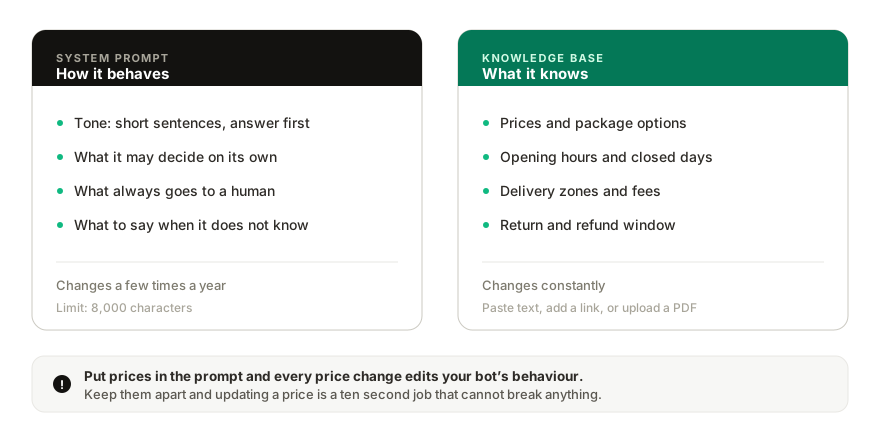
Keep them separate and updating a price is a ten second job that cannot break the bot's behaviour. Mix them together, put the prices inside the prompt, and every price change means editing the instructions that govern how your bot treats customers. That is how a bot that worked in March starts behaving strangely in June.
Ask ChatGPT to interview you
The instinct is to ask ChatGPT to write a prompt for a business like yours. Do not. It will guess, and it will guess generically, and you will get something that could belong to any shop in the world.
Ask it to interview you instead. Paste this into ChatGPT:
I run a business and I want to set up an AI assistant that answers my customers on WhatsApp. I want you to write the system prompt for it.
Before you write anything, interview me. Ask me one question at a time, and wait for my answer before the next one. Ask about what my business does, who my customers are, the questions they ask most, how I want the assistant to sound, what it is allowed to decide on its own, what it must always pass to a human, and what it should do when it does not know an answer.
Ask about ten questions. Then write the system prompt.
Important: the prompt must contain only rules about behaviour, not facts about my business. Do not include prices, opening hours, addresses or policies in the prompt. Those live in a separate knowledge base that the assistant can read. Where the assistant would need such a fact, instruct it to answer from the knowledge base and to say it will check with the team if the answer is not there.
Write the prompt in plain language, in the second person, addressed to the assistant. Keep it under 4,000 characters.
The last three paragraphs are what make the difference. Without them you get a prompt with your prices baked into it, which is exactly what you do not want.
Answer its questions honestly, including the awkward ones. "What must always go to a human" is the most valuable question on the list and the one people rush.
What good output looks like
A prompt that will work tends to cover six things:
- Who the assistant is. The business, what it sells, who it is speaking to.
- Tone. Not adjectives like "friendly and professional", which mean nothing, but something specific: short sentences, no exclamation marks, always answer the question before adding anything else.
- What it may handle alone. Prices from the knowledge base, opening hours, stock questions, directions.
- What always goes to a human. Complaints, refunds, anything involving a discount, anything where a customer is upset, anything legal or medical.
- What to do when it does not know. This is the single most important rule in the whole prompt. The right instruction is to say it will check with the team, not to guess. A bot that invents a price in front of a customer does more damage than no bot at all.
- Language. Whether to always reply in the language the customer wrote in.
If ChatGPT's output is missing the fourth or fifth item, ask it again specifically for those.
Then delete about a third of it
Generated prompts arrive padded. Read yours and cut anything that would not change a single reply.
The usual offenders: an opening paragraph explaining what an AI assistant is, instructions to be "helpful and harmless", long lists of example conversations, and repeated statements of the same rule in slightly different words. None of that changes behaviour, and all of it uses up the space you have.
Cut anything that refers to features that do not exist in a chat, too. If the prompt arrived from another tool it may talk about buttons, menus or flows that mean nothing in a WhatsApp conversation.
You have 8,000 characters for the prompt. A good one for a small business is usually between 1,500 and 3,000. If yours is much longer, open it and check honestly whether the extra is facts. It usually is, and those belong somewhere else.
Where each piece goes
Once you have the two halves, putting them in takes a few minutes.
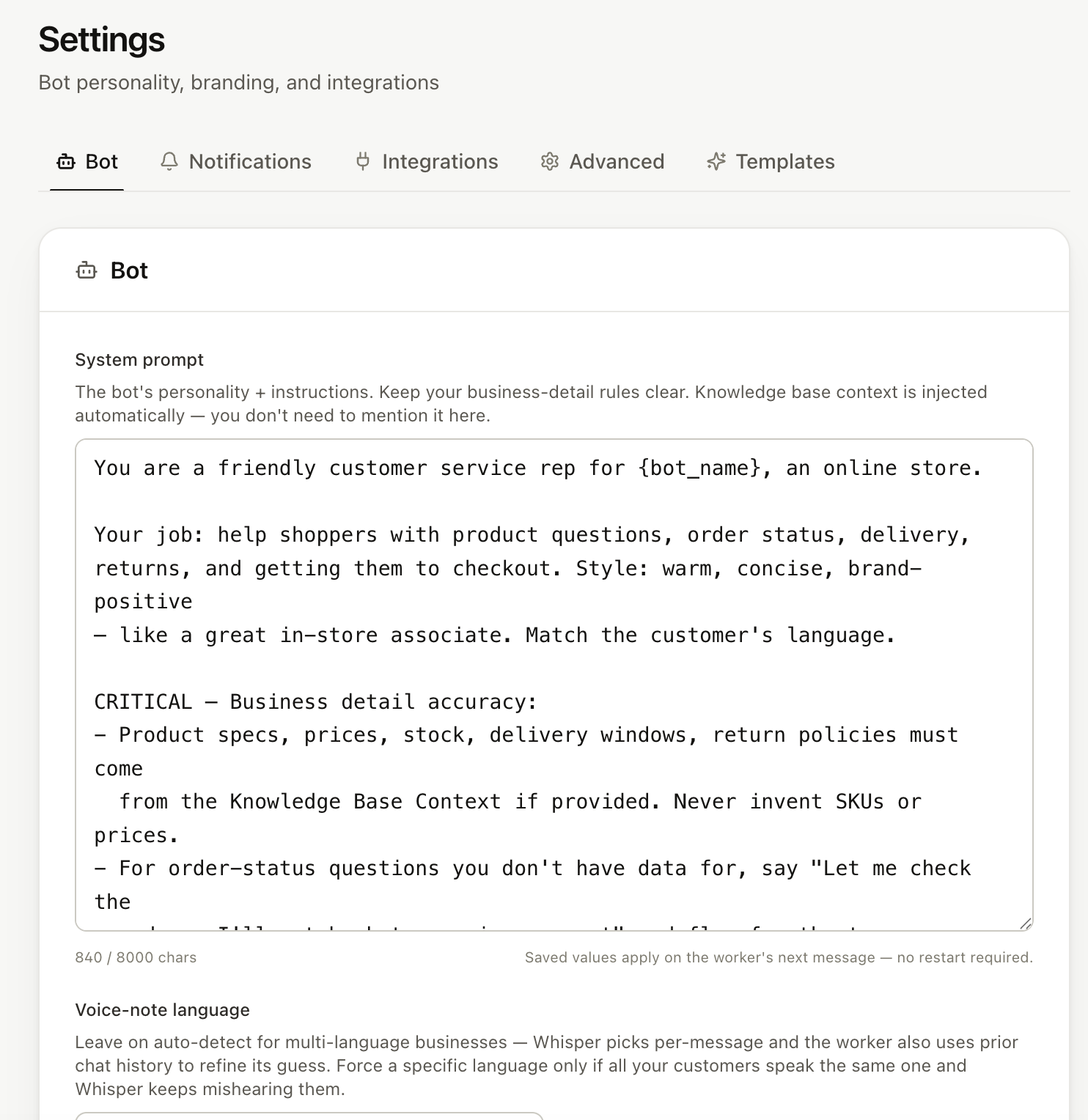
- In Replai, open Settings, then the bot tab, and paste the rules into the system prompt field.
- Open Knowledge base and add the facts. You can paste a price list as text, point it at your website, or upload a PDF. A document you already have, such as a menu or a service list, works as it is.
- Save.
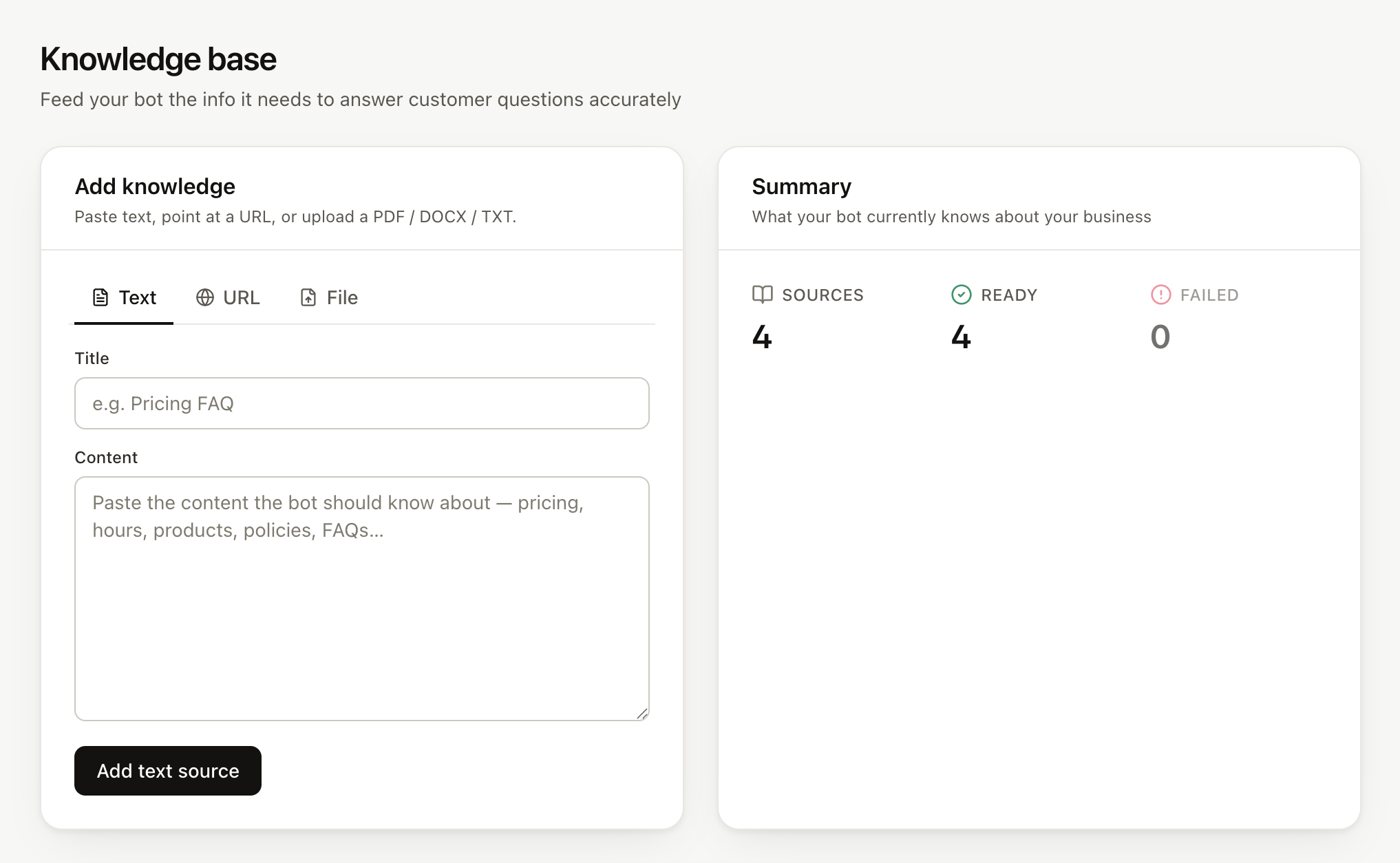
If you already wrote a full specification for a bot somewhere else, upload the document to the knowledge base and keep only the behavioural rules in the prompt. You do not have to retype anything.
Test it before it talks to anyone
Write down the three questions your customers actually ask most. Not the ones you wish they asked, the ones that fill your phone.
Send those three to the bot yourself. You are checking two things: that the answers are right, and that it says it will check with the team when you ask something the knowledge base does not cover. The second matters more. A bot that answers your three questions perfectly and then confidently invents an answer to the fourth is not ready.
If it invents, the fix is almost always in the knowledge base rather than the prompt. Either the fact is missing, or it is buried in a document the bot cannot read cleanly.
A shortcut if you have no website
The prompt above works even if you have nothing written down. Tell ChatGPT so, and answer its questions from memory. Your answers become both halves: the behavioural ones go to the prompt, and the factual ones you can paste straight into the knowledge base as plain text.
If you would rather see the end result before doing any of this, the demo page builds a working sample from your website address, a pasted price list or a PDF menu in about twenty seconds, with no sign-up.
When the answers look close to what you would write yourself, the setup above is what turns it into your actual bot. Setting up an auto-reply bot covers connecting the number, and running it without the Business API explains why the number stays on your phone.
Frequently asked questions
Do I need to be on a paid plan to edit the prompt?
- No. Every plan, including the trial, lets you write and edit your bot's system prompt, up to 8,000 characters. The Pro plan adds the ability to give each of several bots its own prompt, which only matters once you run more than one number.
Should I paste my whole price list into the prompt?
- No, and this is the mistake that causes most of the trouble. Prices belong in the knowledge base, where you can update them without touching the bot's behaviour and where the bot quotes them rather than remembering them. The prompt is for how the bot behaves, not for what it knows.
What if ChatGPT writes something longer than the limit?
- It usually will. Almost all of the excess is facts and examples that belong in the knowledge base, plus filler sentences that change nothing. Move the facts, delete the filler, and what remains is normally well under half the limit.
Will the bot follow the prompt exactly?
- It follows the rules, but it is not a script engine. If you need an exact sentence sent every time, such as an opt-out line or an order confirmation, use the features built for that rather than hoping the prompt holds. A prompt is for judgement, not for guaranteed wording.
Can I use a prompt I already wrote for a different tool?
- Yes. Paste it in and then cut anything specific to the other platform, such as button or flow instructions that have no meaning in a chat. If it arrived as a document, you can upload the file to the knowledge base and keep only the rules in the prompt.
Sources
- Prompt engineering guide, OpenAI, 2026-09-11
Keep reading
Article
How to write a system prompt for a WhatsApp customer service bot (with 4 templates)
Tutorial
How to write a system prompt your bot will actually follow
Article
WhatsApp customer service in Arabic and French: handling Darija voice notes with AI
Article
Meta Business Agent on WhatsApp: what it does, who can use it and how to pause it
See it answer your own customers.
Pair your number, paste in what you know, and message it from another phone. Ten minutes, no card.