Quick answer
A chatbot can connect to your existing number as a linked device, the same mechanism WhatsApp Web uses: scan a QR code from Linked devices and it answers on that number in about 30 seconds. There is no Meta application, no business verification and no per-message fee. The connection is unofficial, so restriction risk is yours to manage.
- A WhatsApp number supports four linked devices; the bot registers as one of them.
- No Meta application and no per-message fee: you pay a flat software subscription.
- Set the bot to new conversations only so existing chats stay with a human.
- Choose the official API for bulk outbound, the green badge or regulated channels.
A WhatsApp chatbot without the Business API connects to the number you already use as a linked device, the same way WhatsApp Web does. You scan a QR code from Linked devices, and the bot answers messages on that number. There is no Meta application, no business verification, no per-message fee, and it takes about 30 seconds. That convenience comes with one real trade-off: it is unofficial, so the ban risk is yours to manage.
This guide covers how the pairing route works, what it actually costs against the official API, where it breaks, and how to decide which one you need.
How QR pairing works
This route exists because the number is already in the right place. The WhatsApp Business app passed 200 million monthly active users in June 2023, up from 50 million in 2020 (Meta, reported by TechCrunch, 2023), and any one of those numbers can take a linked device today with no application to Meta. Pairing leaves the number, the profile and the chat history exactly where they are.
WhatsApp lets one phone number run on up to four linked devices. Normally those are your laptop and a tablet. A QR-paired chatbot simply registers itself as one of those devices:
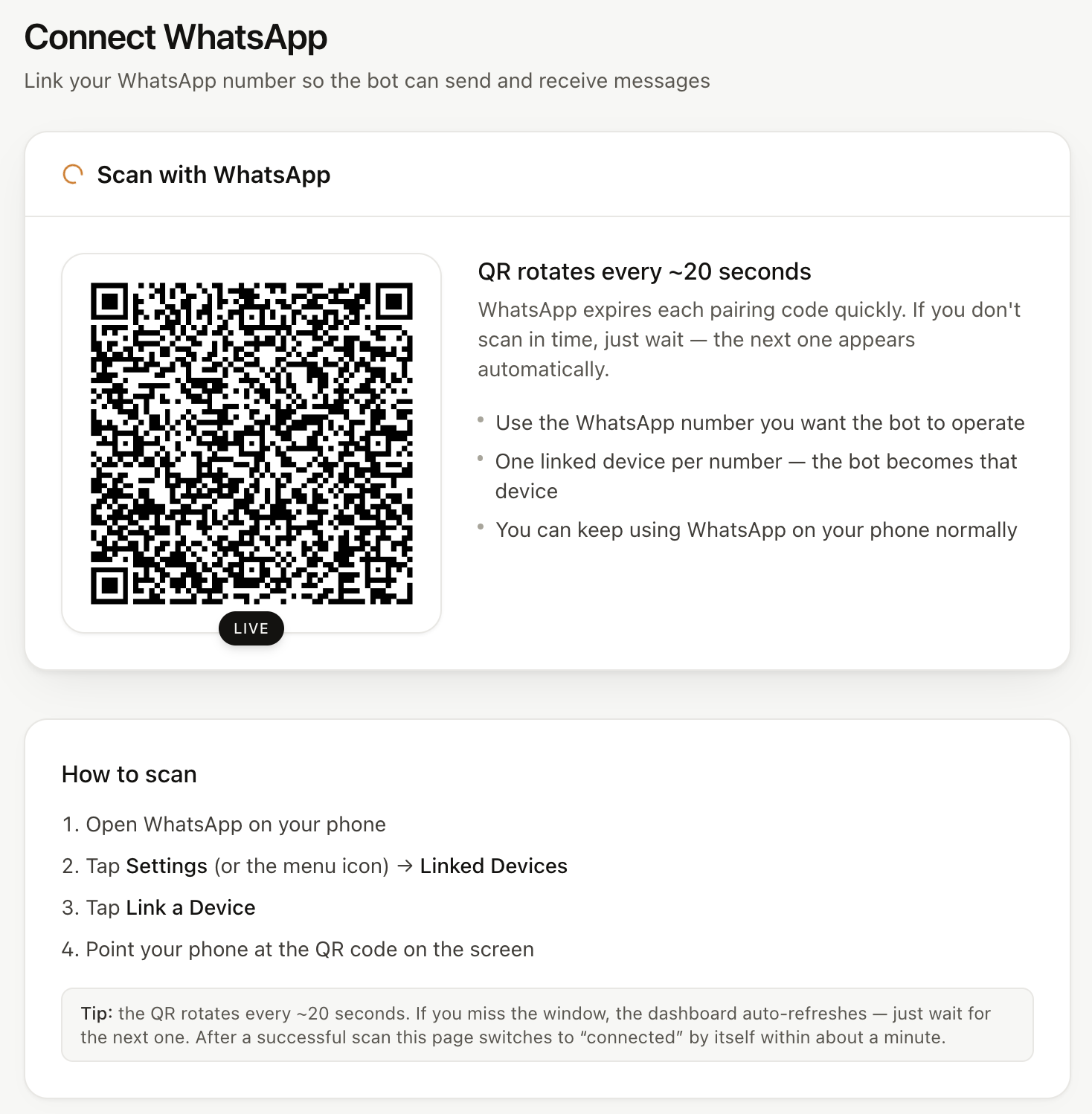
- In the chatbot's dashboard you click Connect and a QR code appears.
- On your phone you open WhatsApp → Linked devices → Link a device and scan it.
- From that moment the bot receives every inbound message on the number, exactly as your laptop would, and can send replies as you.
Your phone stays the primary device. Customers see your normal number and profile, not a new one. You can still reply by hand from the phone, and a well-built tool detects that and steps back.
Replai, WAHA, Chat Data and ChatbotGen all use this route. The underlying library most of them rely on is open source (Baileys), which is why the approach has spread quickly among small-business tools since 2024.
QR pairing vs the official WhatsApp Business API
| QR pairing (linked device) | Official Business API | |
|---|---|---|
| Setup time | 30 seconds | Days to weeks |
| Your number | The one you have | Migrates to the API |
| Meta fees | None | Per message, by country |
| Software fees | Flat monthly | Per seat, contact or conversation |
| Sanctioned by WhatsApp | No | Yes |
| Restriction risk | Real, mitigated | Low |
| Green verified badge | No | Yes |
| Bulk outbound | No, throttled | Yes |
| Reply from your phone | Yes | No |
For a fuller breakdown of the official route's three fee layers, see what the WhatsApp Business API actually costs in 2026 and WhatsApp Business API vs WhatsApp Business app.
What it costs, with real numbers
The pricing difference is simple: no Meta fees, so what you pay is the software.
- Replai: Starter $19 a month for one number and 120 conversations a cycle; Growth $49 for up to three numbers, 300 conversations and outbound campaigns; Pro $99 for five numbers and 600 conversations. The AI is included on every plan. A conversation is one customer thread of up to five bot replies, and you can top up 100 more for $9, or $8 on Growth and $7 on Pro, at any time. There is a 7-day free trial with no card.
- Official-API tools for comparison: Wati's Growth plan is $49 to $69 a month depending on your country, Respond.io starts at $79 a month billed annually, and both pass Meta's per-message charges through on top. Details in Wati pricing in 2026 and Respond.io pricing in 2026.
At 200 inbound conversations a month, a QR-paired bot on a flat plan is typically a third to a half of the all-in cost of the API route once Meta fees and AI add-ons are included. At 5,000 outbound marketing messages a month, the comparison flips: the API is built for that volume and a linked device is not.
What are the risks of a QR-paired WhatsApp bot?
Be honest with yourself about these before choosing it.
Restrictions. WhatsApp can temporarily or permanently restrict a number it thinks is automated spam. The triggers are well understood: sending to many people who have not messaged you first, sending identical messages in bursts, a brand-new number going from zero to hundreds of messages, and high block or report rates. Serious tools throttle sends, jitter timing and warm new numbers up gradually. Replai does all three. None of that is a guarantee. If a restriction would end your business, use the API. We wrote an honest answer on whether WhatsApp will ban your number and a recovery guide for when it happens.
Existing chats. Pairing a number with months of live conversations on it means the bot can see, and answer, all of them: customers mid-order, staff, family. That is the single most common reason owners switch a bot off within an hour. Replai's default for new accounts answers new customers at once and gives every chat that was already on the phone 5 minutes for a person to reply before it steps in. Mark staff or family Never answer this contact and it leaves them alone for good, or choose new conversations only to keep it out of existing chats entirely; the connect screen says which mode you are in before you scan. Check that any tool you evaluate has an equivalent.
Outbound scale. A linked device is fine for answering inbound and for modest broadcasts to people who already know you. It is the wrong tool for bulk marketing. Our guide on how many broadcast messages you can safely send per hour and day has the numbers.
Phone dependency. The phone has to stay registered on WhatsApp. It does not need to be online every minute any more, but if you log the number out of WhatsApp the linked device drops with it.
How do you set up a WhatsApp chatbot without the API?
- Pick a dedicated business number. Not your personal one. A prepaid SIM in a spare phone is enough. If the number is new, let it exist on WhatsApp for a week or two with normal manual use before pairing a bot.
- Write down what the bot is allowed to say. Prices, hours, delivery, returns, booking rules. Paste it in as text, a URL or a PDF. A bot with no knowledge base will improvise, and that is worse than not replying.
- Set the tone and the rules in a system prompt: which language to reply in, what it must never invent, when to hand to a human. We keep a system prompt guide with examples.
- Pair by QR and set it to new conversations only.
- Message the number from another phone and check five real questions. Fix the knowledge base, not the prompt, when an answer is wrong.
- Turn on lead capture to a Google Sheet so the bot's work is visible.
- Only then decide whether to let it answer existing customers.
When the official API is the right call
Choose the API if any of these are true: you send more than a few thousand outbound messages a month; you need the green badge for trust reasons; a contract or regulator requires a sanctioned channel; you run a support team that needs assignment, SLAs and reporting across many agents; or you sell into a market where a week without WhatsApp would be catastrophic.
Choose QR pairing if your problem is the inbound queue on one or a few numbers, you are a small team, and you would rather pay a flat monthly fee than learn Meta's template system.
Most small businesses that come to Replai are in the second group. That is who it is built for, and it is why we publish the risks rather than bury them.
If you only want an AI inside the WhatsApp Business app itself, Meta now has its own, Meta Business Agent, though so far only for select businesses in limited countries.
Related
- WhatsApp Business API vs WhatsApp Business app: what small businesses actually need
- What the WhatsApp Business API actually costs in 2026
- Will WhatsApp ban your number? An honest answer
- Replai vs WAHA: turnkey WhatsApp AI vs a developer API
- WhatsApp MCP: can Claude or ChatGPT answer your WhatsApp?
- How to connect ChatGPT to WhatsApp Business: the routes that exist
Frequently asked questions
Can I run a WhatsApp chatbot without the WhatsApp Business API?
- Yes. A chatbot can connect to your existing WhatsApp or WhatsApp Business number as a linked device, the same mechanism WhatsApp Web uses. You scan a QR code from Linked devices, and the bot reads and answers messages on that number. There is no Meta application, no business verification and no per-message fee.
Is a QR-paired WhatsApp chatbot allowed?
- It is unofficial. Linked-device bots are not covered by WhatsApp's business platform terms, and WhatsApp can restrict a number that behaves like spam. Tools mitigate this with rate limits, jittered timing and warm-up, but nobody can guarantee a number will never be flagged. Use a dedicated business number, not your personal one.
What does a WhatsApp chatbot cost without the API?
- Flat monthly software fees only, because there is no Meta charge per message. Replai, for example, is $19, $49 or $99 a month with the AI included and a 7-day free trial. Official-API tools add Meta's per-message fees, which range from about $0.001 to $0.09 per message depending on country and message type.
Will the bot reply to my existing customers when I pair my number?
- It depends on the tool. On Replai, only if nobody else does: new customers get an answer straight away, and for chats that were already on your phone when you paired, it waits 5 minutes and answers only if nobody from your team has replied. Mark friends, family or suppliers "Never answer this contact" and it leaves them alone for good. Prefer it to stay out of existing chats completely? Choose "New conversations only" in Settings.
When should a small business use the official WhatsApp Business API instead?
- When you need to send large outbound volumes, want the green verified badge, must have a contractual uptime guarantee, or your customers are in a market where a restriction would be catastrophic. The API costs more and takes days to weeks to approve, but it is the sanctioned route for broadcast-heavy or regulated businesses.
Sources
- WhatsApp Business crosses 200M MAUs, introduces personalized messages feature, TechCrunch, 2023-06-27
- WhatsApp Business Platform pricing, Meta for Developers, 2025-07-01
- Baileys, the WhatsApp Web API library, WhiskeySockets
Keep reading
Article
Best WhatsApp AI chatbots for small business in 2026: 8 tools compared on price, setup and what the AI actually costs
Tutorial
How to connect your WhatsApp number to Replai
Article
6 Chatfuel alternatives for WhatsApp in 2026: which one fits a small business
Article
6 Tidio alternatives for WhatsApp-first businesses (2026 pricing compared)
See it answer your own customers.
Pair your number, paste in what you know, and message it from another phone. Ten minutes, no card.