Quick answer
Open Settings, Integrations, Outgoing webhooks. Give it a URL to POST to, generate an HMAC secret, and tick the events you want. Replai posts JSON with an HMAC-SHA256 signature in the X-Replai-Signature header, which your handler verifies with the same secret before trusting the payload.
- Four events: inbound message, outbound message, conversation taken over, and flag created.
- Every request is signed. Verify the signature before you trust anything in the body.
- flag.created is the one most worth wiring up, because it is the machine-readable version of the escalation email.
- Return quickly and do the work afterwards. A slow endpoint is a stuck webhook.
About 15 minutes
Before you start
- An HTTPS endpoint you control that can accept a POST
- Somebody comfortable writing a small handler
Webhooks are for businesses that already run software and want Replai's events in it: a ticketing system, a CRM, an internal dashboard, a pager rota.
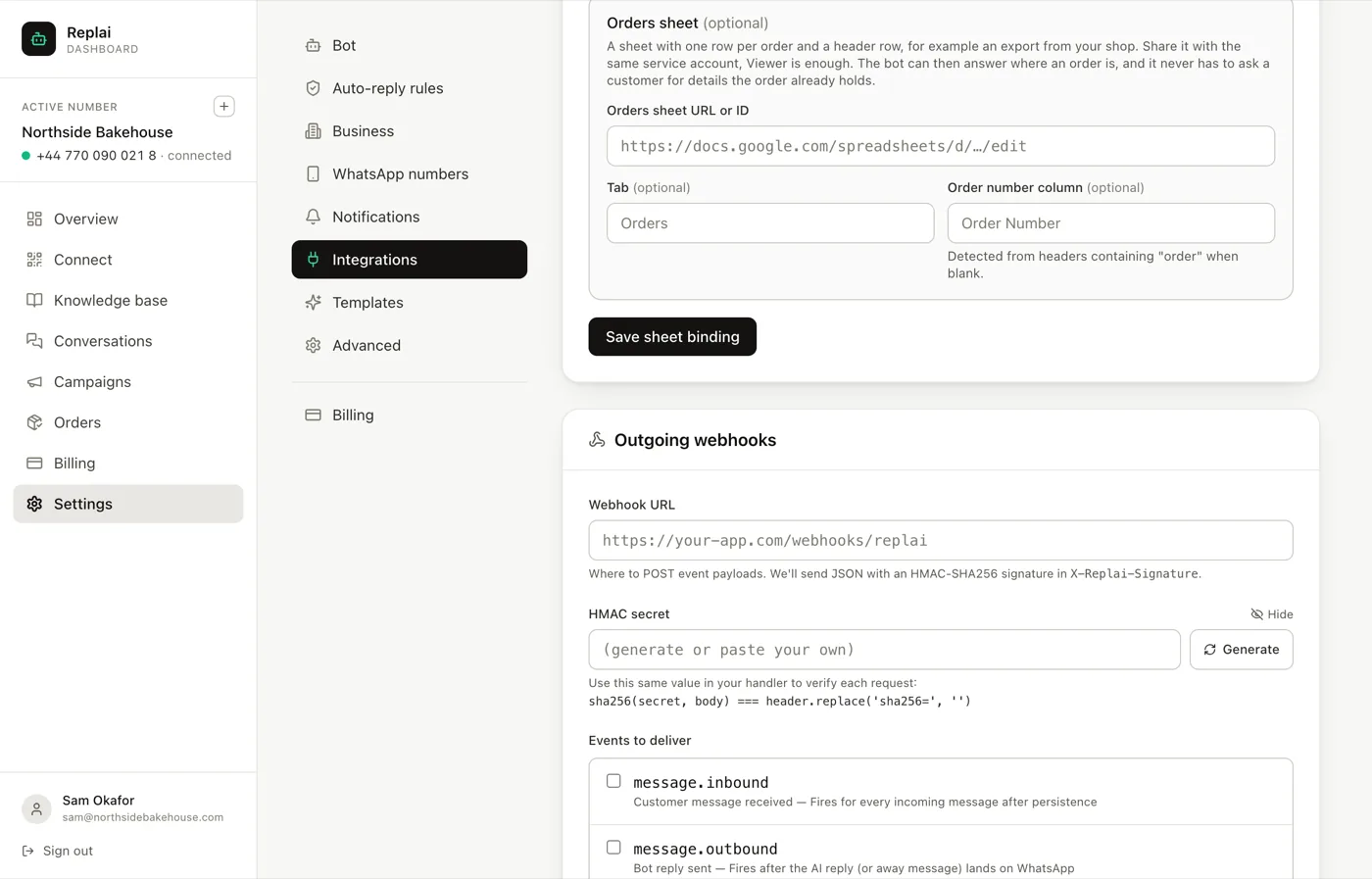
The four events
message.inbound fires for every incoming customer message, after it has been stored. High volume on a busy number.
message.outbound fires when a reply lands on WhatsApp. This includes away messages, not just AI replies, so check the payload rather than assuming everything on this event came from the model.
conversation.taken_over fires when a person takes a thread over from the bot. Useful for measuring how often the bot hands off, which is the single most honest quality metric you have.
flag.created fires when a conversation is classified as needing a person.
If you wire up one event, make it flag.created. It is the machine-readable version of the escalation email, and it is the one where reacting in software actually beats reacting in an inbox: open a ticket, page whoever is on duty, put a row in your own system.
Verifying the signature
Every request carries an X-Replai-Signature header containing an HMAC-SHA256 of
the body, computed with your secret.
Verify it before you trust anything in the payload. An endpoint that accepts whatever is posted to it is an endpoint anybody can post to, and the events carry customer messages.
The one implementation detail that trips people up: sign the raw body bytes, not a re-serialised version of the parsed JSON. Parsing and re-stringifying changes key order and whitespace, the bytes differ, and the signature will never match no matter how correct the rest of your code is.
import { createHmac, timingSafeEqual } from 'node:crypto';

function verify(rawBody, header, secret) {
  const expected = createHmac('sha256', secret).update(rawBody).digest('hex');
  const got = header.replace(/^sha256=/, '');
  const a = Buffer.from(expected);
  const b = Buffer.from(got);
  return a.length === b.length && timingSafeEqual(a, b);
}
Use a timing-safe comparison rather than ===. It costs nothing and removes a
whole class of attack on the secret.
Return quickly
Acknowledge the request, then do your work.
Anything slow inside the handler, writing to a database that is under load, calling another API, sending an email, turns into a webhook that is still open when the next one arrives. Take the payload, put it on a queue, return 200.
Webhooks are notifications, not a log
Deliveries can fail. There is no replay.
That is fine for reacting to things, and wrong for anything that must be complete. If a missed flag would be a real problem, reconcile periodically against the conversation list rather than trusting the stream to have delivered everything.
What to do next
That is every integration. The remaining guides are about running the thing day to day: taking threads over, reading what got flagged, and keeping an eye on usage.
Frequently asked questions
How do I verify the signature?
- Compute an HMAC-SHA256 of the raw request body using your secret, hex encode it, and compare it with the X-Replai-Signature header after stripping the sha256= prefix. Use the raw body, not a re-serialised version of the parsed JSON, because re-serialising changes the bytes and the signature will never match.
Which event should I start with?
- flag.created. It fires when a conversation is classified as needing a person, which is the moment most worth reacting to programmatically: opening a ticket, paging whoever is on duty, writing a row into your own system. The message events are much higher volume and usually only interesting in aggregate.
What happens if my endpoint is down?
- The delivery fails. Webhooks are a notification, not a queue you can replay, so build on the assumption that you will miss some. If a missed event would be a real problem, reconcile against the conversation list rather than trusting the stream to be complete.
Does message.outbound include away messages?
- Yes. It fires when a reply lands on WhatsApp, and that includes the away message sent outside opening hours as well as ordinary AI replies. Check the payload rather than assuming everything on that event was generated by the model.
Is there an inbound API as well?
- Webhooks are outgoing only. They tell your system what happened in Replai. They are not a route for your system to send WhatsApp messages back through Replai.
Keep reading
See it answer your own customers.
Pair your number, paste in what you know, and message it from another phone. Ten minutes, no card.